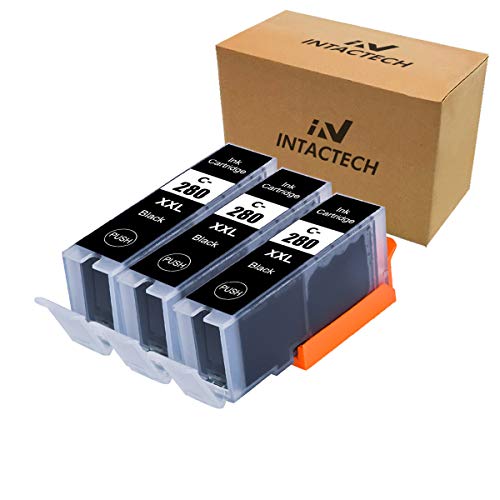
Intactech 280XXL Super High Yield Compatible Ink Cartridges For Canon PGI-280XXL
The cartridges are compatible with:
Canon PIXMA TS9120
Canon PIXMA TS8120
Canon PIXMA TS6120
Canon PIXMA TR7520
Canon PIXMA TR8520
Canon PIXMA TS6220
Canon PIXMA TS8220
Canon PIXMA TS9520
Canon PIXMA TS9521C
Canon PIXMA TS702
Instructions for use:
1.Remove the orange cover carefully before installing. (Get some tissue in the hand in case of leakiness)
2.Insert the cartridge into its correct slot. Please make sure to insert the cartridge FIRMLY into the slot with some force. You should hear a CLICK sound
3.Click "OK" if the printer shows a message such as "NO INK"" or "Non-Original
Troubleshooting:
1. After installing, if the ink level monitor on the printer reads empty, please reinstall the cartridge. It may take a few attempts. Cartridge performance is unaffected even without ink level monitor.
2. If the cartridge was unrecognized, please repeat remove the cartridge and load until recognized
3. If the cartridge give you an error message, please remove the cartridge and turn off the printer for about 30 seconds. Then turn on the and re-install our cartridges
4. If line or blurry happens, pls try to clean printhead for three times----Through your printer panel or the software
Warm Tips:
1. Better keep the printer on if you often use it, as most printers will start print head cleaning automatically when restarting and it will cause some waste of ink.
2. If you don't use the printer frequently, you can turn it off. But keep in mind to switch on the power every once a week to protect the print head from clogging.