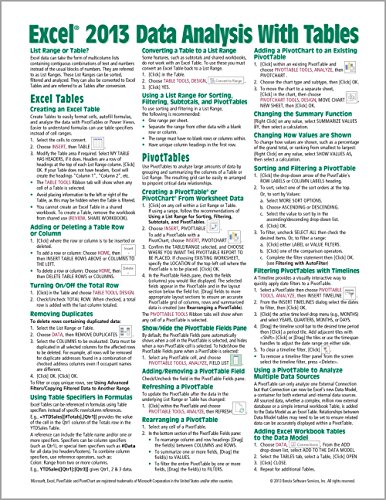


Microsoft Excel 2013 Data Analysis with Tables Quick Reference Guide (Cheat Sheet of Instructions, Tips & Shortcuts - Laminated Card)
Book Details
Author(s)
Beezix Inc.
Publisher
Beezix Inc.
ISBN / ASIN
1936220784
ISBN-13
9781936220786
Availability
Usually ships in 24 hours
Sales Rank
#326,366
Marketplace
United States 🇺🇸
Ratings & Reviews
No reviews yet — be the first!
No reviews yet.
Description
Laminated quick reference guide showing step-by-step instructions and shortcuts for how to use tables, PivotTables, sorting and filtering features in Microsoft Office Excel 2013. This guide is suitable as a training handout, or simply an easy to use reference guide, for any type of user.
The following topics are covered:
List Range or Table?
Excel Tables: Creating an Excel Table, Adding or Deleting a Table Row or Column, Turning On/Off the Total Row, Removing Duplicates, Using Table Specifiers in Formulas, Converting a Table to a List Range, Using a List Range for Sorting, Filtering, Subtotals, and PivotTables.
PivotTables: Creating a PivotTable or PivotChart from Worksheet Data, Show/Hide the PivotTable Fields Pane, Adding/Removing a PivotTable Field, Refreshing a PivotTable, Rearranging a PivotTable, Adding a PivotChart to an Existing PivotTable, Changing the Summary Function, Changing How Values are Shown, Sorting and Filtering a PivotTable, Filtering PivotTables with Timelines, Using a PivotTable to Analyze Multiple Data Sources, Adding Excel Workbook Tables to the Data Model, Adding External Data to the Data Model, Defining Relationships Across Multiple Tables, Creating a New PivotTable to Analyze Multiple Data Model Tables, Adding Tables and Fields to an Existing PivotTable, Advanced Data Analysis, Creating a Power View Sheet, Adding a Visualization to Power View.
Sorting & Filtering a Table or List Range: Basic Sorting, Complex Sorting, Filtering and Advanced Filtering, Show/Hide AutoFilter, Filtering with AutoFilter. Advanced Filtering: Criteria for Advanced Filters, Using Advanced Filters/Copying Filtered Data to Another Range, Selecting/Ordering Columns, Clearing Filtering and Sorting, Subtotals.
This guide is one of multiple titles available for Excel 2013: Excel 2013 Introduction (ISBN 978-1936220762); Excel 2013 Functions & Formulas (ISBN 978-1936220779); Excel 2013 Data Analysis with Tables.
The following topics are covered:
List Range or Table?
Excel Tables: Creating an Excel Table, Adding or Deleting a Table Row or Column, Turning On/Off the Total Row, Removing Duplicates, Using Table Specifiers in Formulas, Converting a Table to a List Range, Using a List Range for Sorting, Filtering, Subtotals, and PivotTables.
PivotTables: Creating a PivotTable or PivotChart from Worksheet Data, Show/Hide the PivotTable Fields Pane, Adding/Removing a PivotTable Field, Refreshing a PivotTable, Rearranging a PivotTable, Adding a PivotChart to an Existing PivotTable, Changing the Summary Function, Changing How Values are Shown, Sorting and Filtering a PivotTable, Filtering PivotTables with Timelines, Using a PivotTable to Analyze Multiple Data Sources, Adding Excel Workbook Tables to the Data Model, Adding External Data to the Data Model, Defining Relationships Across Multiple Tables, Creating a New PivotTable to Analyze Multiple Data Model Tables, Adding Tables and Fields to an Existing PivotTable, Advanced Data Analysis, Creating a Power View Sheet, Adding a Visualization to Power View.
Sorting & Filtering a Table or List Range: Basic Sorting, Complex Sorting, Filtering and Advanced Filtering, Show/Hide AutoFilter, Filtering with AutoFilter. Advanced Filtering: Criteria for Advanced Filters, Using Advanced Filters/Copying Filtered Data to Another Range, Selecting/Ordering Columns, Clearing Filtering and Sorting, Subtotals.
This guide is one of multiple titles available for Excel 2013: Excel 2013 Introduction (ISBN 978-1936220762); Excel 2013 Functions & Formulas (ISBN 978-1936220779); Excel 2013 Data Analysis with Tables.
Similar Products


