Buy on Amazon
https://www.ebooknetworking.net/books_detail-1936560178.html
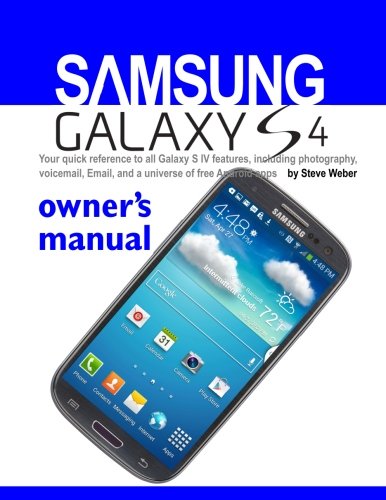
Samsung Galaxy S4 Owner's Manual:: Your quick reference to all Galaxy S IV features, including photography, voicemail, Email, and a universe of free Android apps
Book Details
Author(s)Steve Weber
PublisherWeber Books
ISBN / ASIN1936560178
ISBN-139781936560172
AvailabilityUsually ships in 24 hours
Sales Rank1,466,293
CategoryComputers
MarketplaceUnited States 🇺🇸
Description
You've made the investment in today's cutting-edge smartphone technology. Now, learn to easily use all the features in your Samsung Galaxy S4 device.
.
Hi, I'm Steve Weber, publisher of Kindle Buffet, a daily list of free and discounted Kindle books. You can get a free subscription at KindleBuffet.com. After you buy this book, head over to the Buffet and chow down!
.
Step-by-step instructions and illustrations guide you every step of the way, so you can begin using your phone immediately and customize it just the way you want. You'll learn how to:
Set up your phone
Install the SIM card
Install the battery
Install or replace the memory card
Charge the battery
Lock and unlock the screen
Create a Samsung account
Set up and access your voicemail
Learn to navigate your phone using Air Gesture
Customize your Home screen
Create Shortcuts
Creating Application Folders
Changing the Wallpaper
Adding and Deleting Home Screens
Make phone calls
Dial Emergency Calls
Use Speed Dial
Use 3-Way calling (multi-party calling)
Using the Speakerphone
Use a Bluetooth headset
Forward calls
Use Google Voice typing
Enter text using Swype
Manage your Address Book
Add a Contact to a Group
Use the Camera
Learn Camera modes
Change Camera and Camcorder Settings
Edit photos
Use the Camcorder
.
Step-by-step instructions and illustrations guide you every step of the way, so you can begin using your phone immediately and customize it just the way you want. You'll learn how to:
Set up your phone
Install the SIM card
Install the battery
Install or replace the memory card
Charge the battery
Lock and unlock the screen
Create a Samsung account
Set up and access your voicemail
Learn to navigate your phone using Air Gesture
Customize your Home screen
Create Shortcuts
Creating Application Folders
Changing the Wallpaper
Adding and Deleting Home Screens
Make phone calls
Dial Emergency Calls
Use Speed Dial
Use 3-Way calling (multi-party calling)
Using the Speakerphone
Use a Bluetooth headset
Forward calls
Use Google Voice typing
Enter text using Swype
Manage your Address Book
Add a Contact to a Group
Use the Camera
Learn Camera modes
Change Camera and Camcorder Settings
Edit photos
Use the Camcorder