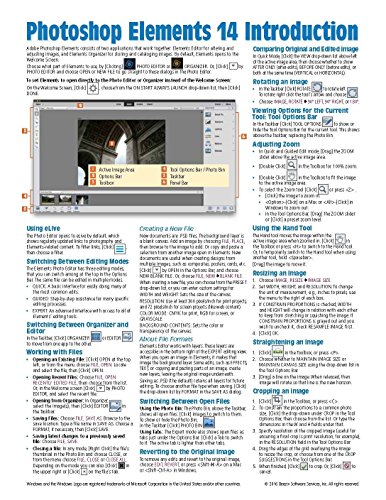


Adobe Photoshop Elements 14 Introduction Quick Reference Guide (Cheat Sheet of Instructions, Tips & Shortcuts - Laminated Card)
Book Details
Author(s)
Beezix Inc
Publisher
Beezix Inc
ISBN / ASIN
1944684174
ISBN-13
9781944684174
Availability
Usually ships in 1 to 3 weeks
Sales Rank
#59,803
Marketplace
United States 🇺🇸
Ratings & Reviews
No reviews yet — be the first!
No reviews yet.
Description
Laminated quick reference guide showing step-by-step instructions and shortcuts for how to use Adobe Photoshop Elements. Written with Beezix's trademark focus on clarity, accuracy, and the user's perspective, this guide will be a valuable resource to improve your proficiency in using Adobe Photoshop Elements. This guide is suitable as a training handout, or simply an easy to use reference guide, for any type of user. Covers BOTH Windows & Mac versions of Elements.
Topics include:
Editor and Organizer - What they are for, launching, and switching between.
Using eLive
Switching Between Editing Modes
Working with Files
Switching Between Open Files
Reverting to the Original Image
Comparing Original and Edited Image
Rotating an Image
Viewing Options for the Current Tool: Tool Options Bar
Adjusting Zoom
Using the Hand Tool
Resizing an Image
Using the Guided Edit Mode
Adjusting Brush Size and Hardness
Making Selections: Quick Selection Tool, Selection Brush Tool
Cut, Copy, Paste - What's Special
Using the Adjustment Panel
Fixing Red Eye
Using the Healing Tools
Using Masking
Straightening the Image
Cropping an Image
Adding Effects, Textures, or Frames in Quick Mode
Adding Text
Organizer: Importing Images, Viewing Images, Using Albums.
Topics include:
Editor and Organizer - What they are for, launching, and switching between.
Using eLive
Switching Between Editing Modes
Working with Files
Switching Between Open Files
Reverting to the Original Image
Comparing Original and Edited Image
Rotating an Image
Viewing Options for the Current Tool: Tool Options Bar
Adjusting Zoom
Using the Hand Tool
Resizing an Image
Using the Guided Edit Mode
Adjusting Brush Size and Hardness
Making Selections: Quick Selection Tool, Selection Brush Tool
Cut, Copy, Paste - What's Special
Using the Adjustment Panel
Fixing Red Eye
Using the Healing Tools
Using Masking
Straightening the Image
Cropping an Image
Adding Effects, Textures, or Frames in Quick Mode
Adding Text
Organizer: Importing Images, Viewing Images, Using Albums.


