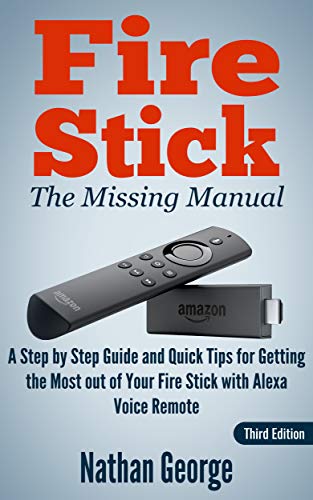


Fire Stick: The Missing Manual - A Step by Step Guide and Quick Tips for Getting the Most out of Your Fire Stick with Alexa Voice Remote
Book Details
Author(s)
Nathan George
ISBN / ASIN
B07H7VZPVG
ISBN-13
978B07H7VZPV0
Sales Rank
#79,279
Marketplace
United States 🇺🇸
Ratings & Reviews
No reviews yet — be the first!
No reviews yet.
Description
2018 Edition - Covers the latest Fire TV Stick with Alexa Voice Remote
This guide provides quick step-by-step instructions on how to set up your Fire TV Stick. Learn the best practices and recommendations to ensure you get the best picture from your Fire TV Stick. This guide has been organised with you in mind to provide a user-friendly experience (as opposed to the cryptic and hard to follow web-based help provided for the product).Make the best of your Alexa remote
Learn how to use your Alexa voice remote to find content faster. Use Alexa to get localized information on traffic, the weather, restaurants etc. You can even get Alexa to query Wikipedia if you need to check some information quickly while using your Fire TV.Use advanced features
Learn about features like Second Screen, Mirroring, X-Ray, Screen Savers, Amazon Drive, Bluetooth speakers/headphones, and setting up Parental Controls to place restrictions on viewing and purchases.Learn how to find highly rated movies, TV shows and hidden gems
Fire TV covers how you can use advanced search methods to find top rated movies and TV shows, including hidden gems, from the best movie databases online.With this book you'll learn how to:
- Quickly set up your Fire TV Stick.
- Navigate the Fire TV interface with the trackpad and navigation buttons.
- Use your voice to get Alexa to find videos, launch apps, and carry many other functions on your Fire TV.
- Use Second Screen on your Fire tablet or Fire mobile to control playback and view X-Ray information.
- Use Display Mirroring to view the screen of your tablet or mobile phone on your TV.
Use X-Ray to view information about actors and music in scenes while watching videos. - Listen to music from Prime Music using the Amazon Music App.
- Connect Bluetooth speakers directly to your Fire TV Stick.
- Upload personal photos and videos to Amazon Drive for easy viewing on your Fire TV.
- Customize your Fire TV with personalized screensavers and a PIN.
- Connect Bluetooth speakers directly to your Fire TV Stick.
- BONUS: Find highly rated movies and hidden gems from external websites to watch on your Fire TV using advanced search methods.
Scroll up and click on Buy Now to start getting the most from your Fire TV today!
Similar Products



