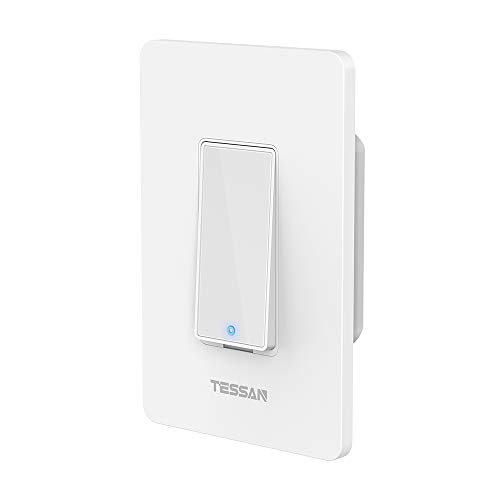


Smart Light Switch, TESSAN Smart Wifi Light Switch Compatible with Alexa, Google Home and IFTTT, No Hub Required, Easy Installation
No reviews yet.
This smart switch would connects to your existing home WiFi network easily to provide wireless control of your lights with no hub or bridge required. Whether you're shopping on the market, meeting in the boardroom, you'll be able to remotely control your home lighting from anywhere.
How to Install and Connect the Tessan Smart Light Switch
STEP 1: Install the Smart Light Switch
You need 3 wires (Live wire, Load wire, Neutral wire) to install this switch.
1.Attach the neutral wire(white) in the electric box to the neutral wire(white) from smart switch.
2.Find out which wire goes to the lights and attach it to the load wire(brown) from smart switch.
3.Attach the Live wire(black) in the electric box to the Live wire(black) from smart switch.
4.If you have ground wire(green/copper)in the electric box, attach it to ground wire(green) from smart switch.
STEP 2: Connect the Smart Light Switch to Wifi
1. Download "Smart Life " App and register an account.
2. Turn on power ,make sure the switch indicator light (Blue) flashes quickly. If not, press the main button and hold it for 5 seconds.
3.Tap + to Add a device in your App (Smartphone should connect to 2.4GHz Wi-Fi).
4. Select "Wall switch " ( NOT "Wall Switch (bluetooth)" or "WallSwitch(ZigBee)" )
5. Follow the app instructions to complete the addition
STEP 3: Compatible with Alexa
In Amazon Alexa app, click "Skills" > search "Smart Life" app > click "enable" > Log into your smart life account and click "Link now" > When finished, ask Alexa to discover device. It will find your named wifi light switch and now just give voice command to turn on/off lamp.
Please Note:
1. This is NOT DIMMER SWITCH
2. Neutral Line is Required
3. Single-Pole Used Only (Not Support 3-Way)
4. ONLY can be connected to 2.4G WiFi, NOT 5G
