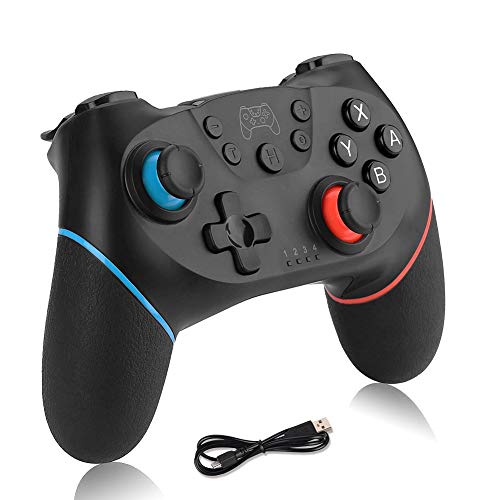


Wireless Switch Pro Controller for Nintendo,Remote Pro Controller Gamepad Joypad,Joystick for Nintendo Switch Console, Supports Gyro Axis, Turbo and Dual Vibration
No reviews yet.
Product Features:
1.The wireless controller is the best alternative to Switch Pro Controller,fully compatible with Nintendo Switch console.
2.Supports gyro axis,Dual vibration and Turbo give you an immersive gaming experience.
3.Instant Response. Get instant feedback from your controller with absolutely no delay. Your games will not be affected from lag.
4.Smart ergonomics. Designed to perfectly fit the human hand. Smart curves will feel great when held, whilst the lightweight but special structure to prevent hand fatigue.
5.It can support 4 wireless gamepads connection to one console at most.The 10 meter connection range is perfect even for large rooms(Not blocked).
6.USB Rechargeable,when charging, you can still play, no need to wait.
7.No need to install any driver for switch, but PC 360 driver is required to be download at first when connect to a Windows PC.
How to connect to Nintendo Switch?
Different connection methods due to different versions of console.There are three methods to connect.
Method 1:
Go to the "Change Grip/Order"screen on the Switch.Press and hold H button for 3 seconds to turn on the controller,then press L + R button for 3-5 seconds.4 led indicators blink fast during pairing.
Method 2:
Go to the "Change Grip/Order"screen on the Switch.With this controller off, press H + Y button for 3-5 seconds.4 led indicators blink fast during pairing.
Method 3:
Go to the "Change Grip/Order"screen on the Switch. With this controller off, press and hold H button for 5-10 seconds. 4 led indicators blink fast during pairing.
If there is any question or need connection videos,have no hesitate to contact us,we will be here in 24 hours!
