A Conversation with Mark Galer, Author of Adobe Photoshop Elements 10: Unleash the Hidden Performance of ElementsMark Galer
Inspiration
The famous photographer Ansel Adams was once quoted as saying that if the negative was the music score, then his work in the darkroom was his performance. My own post-production skills were also learned in the darkroom during my own undergraduate studies and I have always considered that post-production is an essential aspect of the holistic process of creating an image. I teach my students that the camera does NOT faithfully record a scene--the camera merely interprets it. Photoshop, however, is capable of rendering an image to appear how we first saw and experienced the scene. Photoshop is capable of restoring the emotional reality as well as altering reality.
My workflow
Most of the time I have previsualized the outcome before I start editing an image, so the end point for the editing procedure is dictated by how quickly I can achieve this goal. As I know how to drive the software (I am a self-confessed control freak) this usually happens in a matter of minutes rather than hours. Occasionally I may find myself working on an image where I do not have a final outcome in mind--I can see something I like in the original but something needs to happen to elevate it to a folio image. On these occasions I will edit the colour and tonality in Adobe Camera Raw (as this editing space is built for speed). I often see students nudging sliders slowly, waiting for some magic to happen, but I would advocate big and bold sweeps with the controls so you can find the visual breaking point that each slider can inflict upon an image before winding back to the most appropriate setting. As I work with a smart object workflow (where the Raw files are embedded in layers) there is no absolute ending to the edit process. As ACR (Adobe Camera Raw) gets better and better over the coming years I will find myself re-editing a file to access superior demosaicing, sharpening or noise reduction.
My favorite subject
My personal work is now dominated by landscapes. This has not always been the case but now I find shooting landscapes at dawn gives me the most reward. I enjoy planning the best vantage point, at the best time of day and I have taken to using mobile apps such as the Photographer's Ephemeris to help me plan the perfect shoot. Prior to landscapes it was editorial stories that incorporated events or people as the main focus for the story. My final assignment at college was to document the last working coal mine in the Rhondda valley in South Wales and my most in-depth editorial story to date was to document my own 2-year "round-the-world" charity trip on a motorcycle in the late 1980s (about 20 years before Ewan McGregor's "long-way-round"). The subjects that are intriguing me most, at the current moment in time, are time-lapse, compositing video and HDR photography (High Dynamic Range). The advent of video on DSLR cameras and portable tablet devices such the iPad has shaken the industry vigorously and I always like to be engaged in change rather than stand back and watch it happen. I am also obsessed with building the best automated actions and making them available on my website.
Most powerful editing feature in Photoshop
My favorite shortcut would have to be the "Stamp Visible" shortcut (probably because Adobe has never officially documented it). For a Mac it is Command + Option + Shift + E and for a PC it is Ctrl + Alt + Shift + E. Next to this shortcut it would have to be the shortcuts for changing the blend mode of a layer. As a "know-it-all" user I don't have to cycle through the layer blend modes looking for the one that might work; I can just hit the shortcut for the blend mode that takes me straight through to the mathematical answer that resolves a visual problem or task in hand. I have found the Layer blend modes to be the most under-utilized editing feature for inexperienced users. I find them so useful I devoted a whole chapter to them in my Photoshop Essential Skills book and they are a dominant feature of the Maximum Performance projects for Photoshop Elements users. The essential blend modes are invaluable time savers.
The most powerful new features to arrive in Photoshop in recent years are Adobe Camera Raw 6 for its enhanced noise reduction, creating a post-crop vignette and sharpening controls, Merge to HDR pro (especially its de-ghosting feature) and the new Refine Edge feature in CS5 that makes hair extraction really fast. For Photoshop Elements users who do not have access to some of these features (elements) I explore alternative, and sometimes unique, workflows that allow sophisticated composites and image enhancements. I have to admit to enjoying the challenge of writing a Photoshop Elements book that aims to show users how to engage in professional quality editing with a piece of software that has a few features (elements) missing. The workflows I create circumnavigate the shortcomings of the Elements concept (budget software with a couple of editing features short of a six-pack!).
--Mark Galer
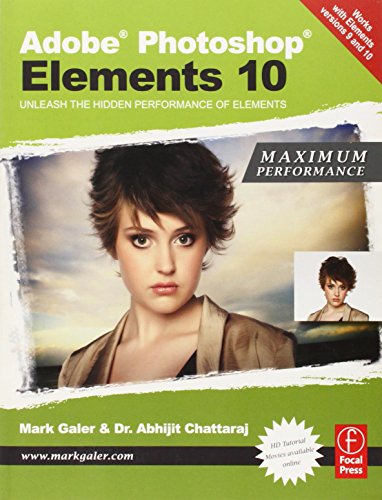
Adobe Photoshop Elements 10: Maximum Performance: Unleash the hidden performance of Elements
📄 Viewing lite version
Full site ›
Book Details
Author(s)Mark Galer, Abhijit Chattaraj
PublisherFocal Press
ISBN / ASIN0240523792
ISBN-139780240523798
AvailabilityUsually ships in 24 hours
Sales Rank939,151
CategoryComputers
MarketplaceUnited States 🇺🇸
Description ▲
More Books in Computers
Windows XP, Vol. 1 (SELECT Series)
View
Internet Searching and Indexing: The Subject Approach
View
Control Problems in Industry: Proceedings from the SIA…
View
Open Source Systems Security Certification
View
Java: Data Structures and Programming
View
User-Centered Web Development
View
Query Processing in Database Systems (Topics in Inform…
View
Fundamentals of SQL Server 2005
View
Dreamweaver CS4: The Missing Manual (Spanish Edition)
View