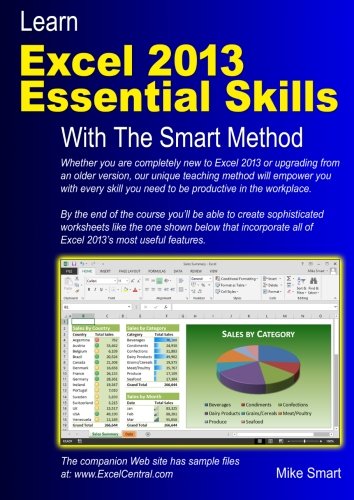
- The book will equip you with excellent Excel 2013 skills, good enough to impress any employer, but it doesn't confuse by attempting to teach skills that are not common in the workplace. Only users who have advanced requirements need progress to the Expert Skills book.
- Instruction is logically structured into sessions and lessons. While this makes the book ideal for self-instruction, you can also use it to run your own, highly effective, adult training courses.
- Every lesson is presented on two facing sheets of A4 paper (the pages are much bigger than in any other Excel book).
- Each lesson has a sample file that models a real-world business problem.
Amongst other things you'll learn how to:
- Use the new Excel 2013 Flash Fill feature to split, concatenate and format text and date values
- Use the new Excel 2013 Apps to add new functionality to worksheets
- Use the new Excel 2013 Cloud Computing features to share data
- Create stunning, professional, presentation-quality charts
- Use the Themes feature to create visually excellent worksheets
- Use the Versions feature to recover lost data
- Use AutoFill to create textual and numeric series
- Hide and show rows, columns and entire worksheets
- Create your own formulas
- Use Excel functions the professional way using Formula AutoComplete
- Understand absolute, relative and mixed cell references
- Create cross-worksheet formulas
- Add trend lines and moving averages to charts to forecast future values
- Use Sparklines to visually represent large data sets
- Bring your data alive with Visualizations
- Create custom conditional formatting rules with the Rules Manager
- Streamline your work by creating your own custom templates
- Create both textual and graphical cell comments
AOL Time Warner, The United States Army, Daimler Chrysler, Motorola, HSBC, Barclays, American Express, Allied Irish Banks, Imperial Tobacco, Volvo, The BBC, British Petroleum, The Foreign and Commonwealth Office, Unilever, The Institute of Chartered Accountants, The Ministry of Defence, Keele University, Deutsche Bank, HBOS, Transport For London, The Performing Rights Society, Scottish Power, The Office of the Parliamentary Ombudsman, BAE Systems, RBS, Marks & Spencer, Virgin, O2, BMW... and many, many others.