This 4-page laminated guide for Adobe Photoshop CC 2018 shows step-by-step instructions and shortcuts for image enhancement, image manipulation, powerful selection and masking techniques, and much more. Written with Beezix's trademark focus on clarity, accuracy, and the user's perspective, this guide will be a valuable resource to improve your proficiency in using Adobe Photoshop. This guide is suitable as a training handout, or simply an easy to use reference guide, for any type of user. Covers BOTH Windows & Mac versions of Adobe Photoshop CC 2018.
The following topics are covered
Working with Files, Creating a New File, About File Formats & Layers, Accessing All Tools in the Tools Panel, Adjusting Zoom, Moving the Canvas within the Document Window, Moving an Element or Selection on the Canvas.
Cropping an Image, Straightening an Image, Working with Layers, Changing Opacity of a Layer, Resizing (Image, Items, Canvas), Rotating & Flipping.
Selecting Parts of an Image: Making Quick Selections Based on Color, Tone, and Texture; Drawing a Freehand Selection Marquee; Making Rectangular or Elliptical Selections; Making a Custom, Polygonal Selection; Making a Selection Using the Brush Tool; Inverting a Selection; Deselecting Everything.
Using Masks to Change Only Parts of a Layer, Removing or Repairing Parts of an Image: Using Content-Aware Fill; Using the Clone Stamp Tool; Using the Healing Brush Tool or Spot Healing Brush Tool. Changing the Look of an Image with Adjustments.
Using Levels to Make Deeper Blacks and Brighter Whites, Adjusting the Exposure in Parts of an Image, Adjusting the Color Saturation in Parts of an Image, Blurring Parts of an Image, Setting Colors, Changing Color Mode of an Image, Undo or Redo Actions (Incl History Panel and History Brush Tool).
Adding Text, Changing Existing Text, Warping Text, Using Type to Create a Mask.
Using Multiple Artboards (Pages), Using Guides, Showing or Hiding the Rulers, Saving a PSD as Another File Type.
Also includes a list of Windows and Mac keyboard shortcuts.
Great companion product to: Adobe Illustrator CC 2018 (ISBN 9781944684457), Adobe Photoshop Lightroom Classic CC (ISBN 9781944684402), Adobe Dreamweaver CC 2018 (ISBN 9781944684204).
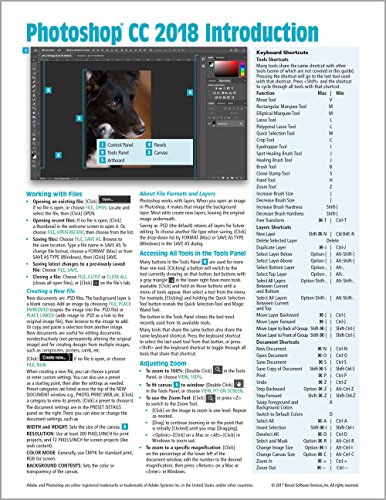
Adobe Photoshop CC 2018 Introduction Quick Reference Guide (4-page Cheat Sheet of Instructions, Tips & Shortcuts - Laminated Card)
📄 Viewing lite version
Full site ›
Book Details
Author(s)Beezix Inc
PublisherBeezix Inc
ISBN / ASIN1944684441
ISBN-139781944684440
AvailabilityIn Stock.
Sales Rank15,177
MarketplaceUnited States 🇺🇸
Description ▲
Similar Products ▼
- Adobe Photoshop Lightroom CC Classic Introduction Quick Reference Guide (Cheat Sheet of Instructions, Tips & Shortcuts - Laminated Card)
- Adobe Illustrator CC 2018 Introduction Quick Reference Guide (Cheat Sheet of Instructions, Tips & Shortcuts - Laminated Card)
- The Adobe Photoshop Lightroom Classic CC Book for Digital Photographers (Voices That Matter)
- Adobe Photoshop Lightroom CC 2018 Introduction Quick Reference Guide (Cheat Sheet of Instructions, Tips & Shortcuts - Laminated)
- How Do I Do That in Photoshop?: The Quickest Ways to Do the Things You Want to Do, Right Now!
- Adobe Photoshop CC Classroom in a Book (2018 release)
- Adobe Photoshop CC for Photographers 2018
- Adobe Creative Cloud All-in-One For Dummies
- Adobe Dreamweaver CC 2018 Introduction Quick Reference Guide (Cheat Sheet of Instructions, Tips & Shortcuts - Laminated Card)
- How Do I Do That In Lightroom Classic?: The Quickest Ways to Do the Things You Want to Do, Right Now! (2nd Edition)