This book is the 2nd volume in the Quickstart series of Android Games Practical Programming. It offers a step-by-step Android game development guide that's easy to follow with practical tips, illustrations, diagrams, and images, including a full game project explained gradually in each unit. After reading the whole 7 units in this book, you gain the basic knowledge and experience to create compelling Android games that can make you money on Google Play and Amazon Appstore. As you work on the game project X Shuttle, there is an online forum - Apphex Forums (apphex.com ), dedicated to this book that you can go to, to download the code projects, ask questions and look for technical support, our support team is always there so you can get help directly from the community.
What This Book Covers
Unit 1, Project Framework, begins by discussing the storyline and framework of the game project X Shuttle built for this book. You'll be able to implement the activity's lifecycle callback methods and utilize handlers to switch views in game. In the meanwhile, you'll learn how to make fade-in/fade-out and slide-in/slide-out animations to ensure smooth transitions between contents or views. Last, this unit goes into detail on how to write the main thread and game view for your app.
Unit 2, Sprites and Objects, explores the basic principles of creating sprites, major characters, meteos, alien hordes, weapons, powerups, and other objects. You'll learn how to produce animations of sprites and objects using Bitmap sheets or separate PNG images. This unit also covers the implementation process of collision detection between objects.
Unit 3, Game Settings, elaborates the implementation process of designing a handy options menu in your app. You'll be able to make the sound settings, vibrate settings, reset option, and promo code redeem option in the options menu.
Unit 4, Sound Effects, introduces the foundations of sound effects and the implementation process that surrounds them. You'll learn how to add audio and sounds to your app using the Android sound pools, and how to add background music to your app using media players.
Unit 5, SQLite Database, covers the basics of integrating SQLite database into Android apps. You'll learn how to write a customized database handler to interact with the SQLite database, and how to implement CRUD (Create, Read, Update, and Delete) operations on the SQLite database.
Unit 6, Achievements and Leaderboards, shows you how to utilize the Google Play achievement and leaderboard features in your app. This unit also guides you on how to build a scoring system in your app.
Unit 7, In-App Purchases and Ads, explains the implementation process of in-app purchases and ads. This unit walks you through the details on how to integrate the Google Play in-app billing features into your app. You'll also learn how to monetize your app by selling in-app items and promoting Admob ads.
Who This Book Is For
This book is for aspiring programmers and artists trying to break into the game industry quickly and looking for a practical guide to kick-start their projects. It assumes a passable understanding of Java, including how to write classes and handle basic inheritance structures.
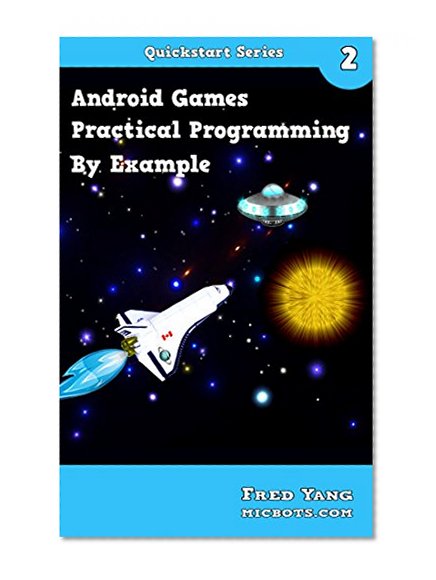
Android Games Practical Programming By Example: Quickstart 2
📄 Viewing lite version
Full site ›
Price not listed
🛒 Buy New on Amazon 🇺🇸
Book Details
Author(s)Fred Yang
PublisherFred Yang
ISBN / ASINB00MBXWG8S
ISBN-13978B00MBXWG88
Sales Rank591,013
MarketplaceUnited States 🇺🇸