- Brand New. This is not original, but the same function as Original remote control.
- No program needed.
- If the remote isn’t working, try the following steps to fix your remote: 1. Please unplug the Bose from AC power, press and hold its power button for five seconds, then plug it back in and turn it on. 2. Remove the batteries from the remote. Press every button on the remote at least one (1) time to drain any residual power. This also helps to check for stuck buttons. Re-insert the batteries back into the remote.
- Please note: this remote is not compatible with AWRC-1G/AWRC-1P/CD-3000/AWR1-1W/AWR113/Bose Acoustic Wave Music System II/Bose Acoustic Wave Music System I/Bose Wave System with Multi-CD changer
- Bose remote control look similar, but they are not compatible with each other. Please double check your original remote before purchasing it.
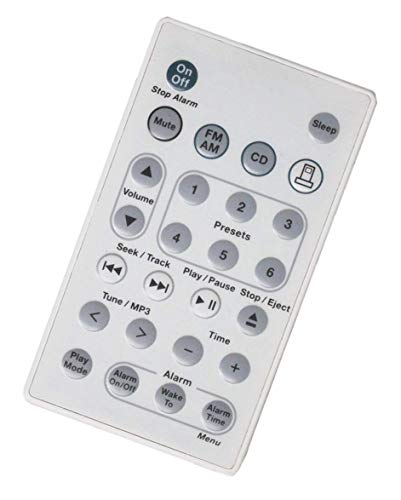
New Remote Control Replaced for Bose Wave Music System AWRCC1 AWRCC2 aka Wave Radio/CD II (White Color)
📄 Viewing lite version
Full site ›
Book Details
Author(s)UBay
PublisherUBay
ISBN / ASINB07F6XG7C6
ISBN-13978B07F6XG7C6
AvailabilityIn Stock
Sales Rank1,398
CategoryElectronics
MarketplaceUnited States 🇺🇸
Description ▲
More Books in Electronics
Advances in Imaging and Electron Physics, Volume 134 (…
View
Advances in Imaging and Electron Physics, Volume 143
View
Advances in Imaging and Electron Physics, Volume 138 (…
View
Analysis of Metallic Antennas and Scatterers (Ieee Ele…
View
Understand Electronics
View
Advances in Imaging and Electron Physics, Volume 140 (…
View
Gb Wiring Simplified 40 Th Edition Handbook
View
A review of basic electronics (Biomedical review serie…
View
Introduction to Electronics
View