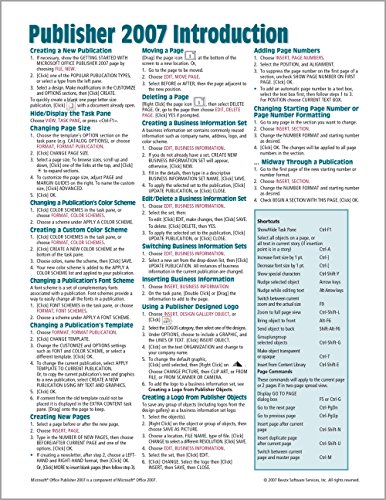


Microsoft Publisher 2007 Introduction Quick Reference Guide (Cheat Sheet of Instructions, Tips & Shortcuts - Laminated Card)
Book Details
Author(s)
Beezix Inc,
Publisher
Beezix Inc
ISBN / ASIN
1934433756
ISBN-13
9781934433751
Category
Pamphlet
Marketplace
France 🇫🇷
Ratings & Reviews
No reviews yet — be the first!
No reviews yet.
Description
Laminated quick reference guide showing step-by-step instructions and shortcuts for how to use Publisher 2007. This guide is suitable as a training handout, or simply an easy to use reference guide, for any type of user.
The following topics are covered:
Creating a New Publication, Hide/Display Task Pane, Changing Page Size, Changing a Publication's Color Scheme, Creating a Custom Color Scheme, Changing a Publication's Font Scheme, Changing a Publication's Template, Creating New Pages, Moving a Page, Deleting a Page, Creating a Business Information Set, Edit/Delete a Business Information Set, Switching Business Information Sets, Inserting Business Information, Using a Publisher Designed Logo, Creating a Logo from Publisher Objects, Inserting a Text Box, Flowing Text from Box to Box, Setting Columns in a Text Box, Fancy Text: WordArt, Dropping the First Capital Letter, Grouping and Ungrouping, Adding Page Numbers, Changing Starting Page Number or Page Number Formatting, Adding Shapes, Adding Text to an AutoShape, Fitting Text in an Object, Adding Objects from the Design Gallery, Adding to the Content Library, Inserting a Content Library Object, Rotating or Flipping an Object, Changing the Object Order, Wrapping Text Around an Object, Inserting a Table, Resizing Rows and Columns, Turn On/Off Growing Table to Fit Text, Adding a Header or Footer, Using Master Pages, Changing the Page Background, Saving as PDF.
Includes a list of keyboard shortcuts.
The following topics are covered:
Creating a New Publication, Hide/Display Task Pane, Changing Page Size, Changing a Publication's Color Scheme, Creating a Custom Color Scheme, Changing a Publication's Font Scheme, Changing a Publication's Template, Creating New Pages, Moving a Page, Deleting a Page, Creating a Business Information Set, Edit/Delete a Business Information Set, Switching Business Information Sets, Inserting Business Information, Using a Publisher Designed Logo, Creating a Logo from Publisher Objects, Inserting a Text Box, Flowing Text from Box to Box, Setting Columns in a Text Box, Fancy Text: WordArt, Dropping the First Capital Letter, Grouping and Ungrouping, Adding Page Numbers, Changing Starting Page Number or Page Number Formatting, Adding Shapes, Adding Text to an AutoShape, Fitting Text in an Object, Adding Objects from the Design Gallery, Adding to the Content Library, Inserting a Content Library Object, Rotating or Flipping an Object, Changing the Object Order, Wrapping Text Around an Object, Inserting a Table, Resizing Rows and Columns, Turn On/Off Growing Table to Fit Text, Adding a Header or Footer, Using Master Pages, Changing the Page Background, Saving as PDF.
Includes a list of keyboard shortcuts.


