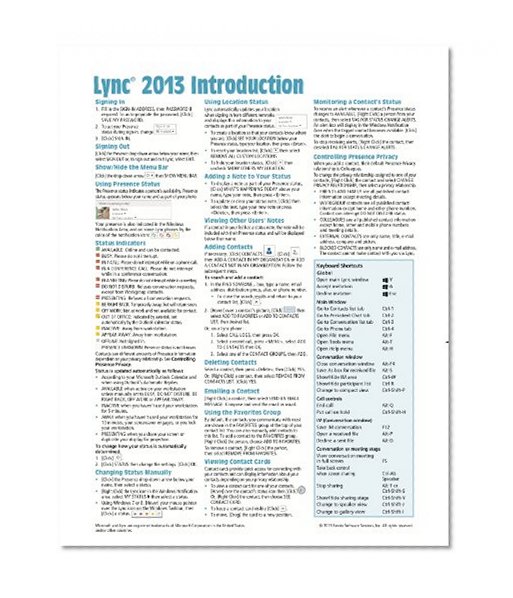


Microsoft Lync 2013 Introduction Quick Reference Guide (Cheat Sheet of Instructions, Tips & Shortcuts - Laminated Card)
Price not available for Germany
You can still browse on Amazon. Try another country above.
Book Details
Author(s)
Beezix Inc.
Publisher
Beezix Inc.
ISBN / ASIN
1939791103
ISBN-13
9781939791108
Marketplace
Germany 🇩🇪
Ratings & Reviews
No reviews yet — be the first!
No reviews yet.
Description
Laminated quick reference card showing step-by-step instructions and shortcuts for how to use Microsoft Lync 2013 (Desktop Client). This guide is suitable as a training handout, or simply an easy to use reference guide, for any type of user.
The following topics are included:
Signing In/Out, Show/Hide the Menu Bar, Using Presence Status, Status Indicators, Changing Status Manually, Using Location Status, Adding a Note to Your Status, Viewing Other User's Notes.
Adding Contacts, Deleting Contacts, Emailing a Contact, Using the Favorites Group, Viewing Contact Cards, Monitoring a Contact's Status, Controlling Presence Privacy.
Creating and Using Groups.
Starting a Conversation; Sending an Instant Message; Inviting Additional Participants to Your Conversation; Sending a File; Receiving a File; Working with Multiple Conversations; Conversation Window On Top; Sharing Your Desktop or a Program; Sharing PowerPoint, Whiteboard, or Polls.
Scheduling an Online Meeting; Joining an Online Meeting; Using Meet Now; Ending an Online Meeting.
Viewing Presence Information in Outlook; Responding to an Email with an Instant Message; Responding to an Email with a Call.
Also includes a list of keyboard shortcuts.
The following topics are included:
Signing In/Out, Show/Hide the Menu Bar, Using Presence Status, Status Indicators, Changing Status Manually, Using Location Status, Adding a Note to Your Status, Viewing Other User's Notes.
Adding Contacts, Deleting Contacts, Emailing a Contact, Using the Favorites Group, Viewing Contact Cards, Monitoring a Contact's Status, Controlling Presence Privacy.
Creating and Using Groups.
Starting a Conversation; Sending an Instant Message; Inviting Additional Participants to Your Conversation; Sending a File; Receiving a File; Working with Multiple Conversations; Conversation Window On Top; Sharing Your Desktop or a Program; Sharing PowerPoint, Whiteboard, or Polls.
Scheduling an Online Meeting; Joining an Online Meeting; Using Meet Now; Ending an Online Meeting.
Viewing Presence Information in Outlook; Responding to an Email with an Instant Message; Responding to an Email with a Call.
Also includes a list of keyboard shortcuts.


