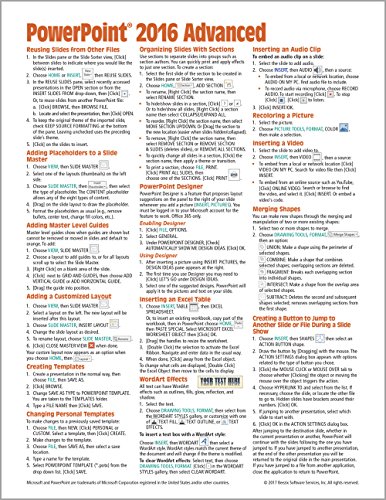


Microsoft PowerPoint 2016 Advanced Quick Reference Guide - Windows Version (Cheat Sheet of Instructions, Tips & Shortcuts - Laminated Card)
3.6
USD
Book Details
Author(s)
Beezix Inc,
Publisher
Beezix Inc
ISBN / ASIN
1939791995
ISBN-13
9781939791993
Sales Rank
#83,676
Category
Pamphlet
Marketplace
United States 🇺🇸
Ratings & Reviews
No reviews yet — be the first!
No reviews yet.
Description
Laminated quick reference card showing step-by-step instructions and shortcuts for how to use advanced features of Microsoft Office PowerPoint 2016 (Windows Version). Written with Beezix's trademark focus on clarity, accuracy, and the user's perspective, this guide will be a valuable resource to improve your proficiency in using PowerPoint 2016. This guide is suitable as a training handout, or simply an easy to use reference guide, for any type of user.
The following topics are covered
Reusing Slides from Other Files
Adding Placeholders to a Slide Master
Adding Master Level Guides
Adding a Customized Layout
Creating and Changing Personal Templates
Organizing Slides with Sections
Enabling and Using PowerPoint Designer
Inserting an Excel Table
WordArt Effects
Recoloring a Picture
Inserting an Audio Clip
Inserting a Video
Merging Shapes
Creating a Button to Jump to Another Slide or File During a Slide Show
Hiding Slides
Displaying the Animation Pane
Reordering Animations
Removing or Modifying Animations
Previewing Animations
Using the Animation Painter
Using Morph
Syncing Animation/Text Overlays with Audio/Video
Annotations During a Slide Show
Saving Different Slide Orders
Setting up a Self-Running Show
Setting Timings by Viewing the Show
Recording Narration
Compressing Media Files
Packaging Presentations on a CD/USB Drive
Saving a Presentation as a Video
The following topics are covered
Reusing Slides from Other Files
Adding Placeholders to a Slide Master
Adding Master Level Guides
Adding a Customized Layout
Creating and Changing Personal Templates
Organizing Slides with Sections
Enabling and Using PowerPoint Designer
Inserting an Excel Table
WordArt Effects
Recoloring a Picture
Inserting an Audio Clip
Inserting a Video
Merging Shapes
Creating a Button to Jump to Another Slide or File During a Slide Show
Hiding Slides
Displaying the Animation Pane
Reordering Animations
Removing or Modifying Animations
Previewing Animations
Using the Animation Painter
Using Morph
Syncing Animation/Text Overlays with Audio/Video
Annotations During a Slide Show
Saving Different Slide Orders
Setting up a Self-Running Show
Setting Timings by Viewing the Show
Recording Narration
Compressing Media Files
Packaging Presentations on a CD/USB Drive
Saving a Presentation as a Video
Similar Products


