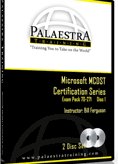


Palaestra ~ Microsoft MCDST 70-271 Certification Videos (Microsoft Certification Training)
Price not available for India
You can still browse on Amazon. Try another country above.
Book Details
Author(s)
Bill Ferguson
Publisher
Palaestra
ISBN / ASIN
B0018B46OG
ISBN-13
978B0018B46O9
Marketplace
India 🇮🇳
Description
World Class Training
Our Expert Instructor, Bill Ferguson, literally wrote the book on MCDST certification. He is the author of the best selling MCDST Study Guide for Sybex and a world recognized authority on the subject. In addition, Bill is only one of a handful of Microsoft Certified Trainers in the world to be featured on Microsoft's website. So we're very excited to be able to bring you this exceptional training. Bill takes his years of experience and knowledge and gives it you in our easy to use Computer Based Training (CBT) format. Training you can take with you anywhere and learn at your own pace.
Our MCDST 70-271 training series will definitely prepare you for the exam. It will also give you the training you need to do the job. You'll find yourself using this not just as a study guide, but as a reference guide as well. Solid information you can put to use immediately to get the job done.
What's Covered in our Training
Our MCDST 70-271 Certification series is 19 videos on two cd-roms, and over 8 hours of instruction! Bill's use of live demonstrations, diagrams and illustrations combined with his conversational delivery style make this training as fun as it is informative.
MCDST 70-271 Disc 1:
1)MCDST Certification Benefits
2)Exam Overview
3)Preparing to Install
4)Preparing the Computer
5)Installation Process
6)Advanced Installation Topics
7)Managing Access to Resources with NTFS
8)Shared Folders and Effective Permissions
9)Managing Printers
10)Offline Files and Folders
MCDST 70-271 Disc 2:
11)Hardware Management
12)Desktop and User Environment
13)Startup and Logon Process
14)System Performance
15)Recovering from Boot Failure
16)TCP/IP Configuration
17)Name Resolution
18)Remote Connections and Remote Connectivity Tools
19)Series Wrap-Up


