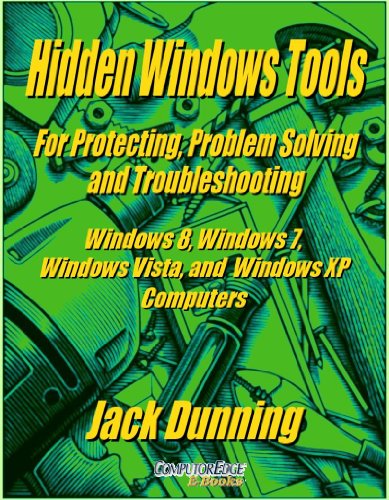


Hidden Windows Tools for Protecting, Problem Solving and Troubleshooting Windows 8, Windows 7, Windows Vista, and Windows XP Computers (Windows Tips and Tricks Book 11)
Book Details
Author(s)Jack Dunning
PublisherComputorEdge E-Books
ISBN / ASINB00B8Z2ASG
ISBN-13978B00B8Z2AS2
MarketplaceGermany 🇩🇪
Description
For a limited time, "Hidden Windows Tools" is available for only $5.99 (USD), regularly $9.99 (USD).
"Hidden Windows Tools" is not a book for teaching you how to use your Windows computer. For that you need something similar to "Getting Started with Windows 7" and the "Four-Book Windows 7 Secrets Bundle" (Desktop, Taskbar, Start Menu, and Windows Explorer by Jack and available on Amazon) which talks about the Windows features you use every day. This book is about the tools built into Windows for protecting your computer (and your data), solving computer problems, and troubleshooting issues that may come with new hardware or software. You won't use these utilities every day, but you sure want to know about them. The problem is that these Windows wrenches and hammers are not always easy to find.
Microsoft didn't set out to hide all of the Windows tools discussed in this book. In fact, there are multiple ways of locating almost every one of them. It's just that you don't know where to start looking for something unless you know that it exists in the first place. "Hidden Windows Tools" is designed to show you what is available for protecting and fixing your Windows computer, then guiding you to them. Many of these problem-solving features can be found through the Windows Control Panel although not all. In Windows 7 and 8, a search from the Start Menu (Start Screen Settings search, WIN+W, in Windows 8) will bring up a list of suggestions each of which leads to one of these tools. The WIN+X power menu in Windows 8 gives direct access to a few of the most important troubleshooting features. In Windows XP and Windows Vista, it may be a little more difficult to locate them, but most of them are still there.
This book is based upon years of Windows Tips and Tricks columns from ComputorEdge Magazine. In the course of updating these chapters with information for Windows 8, Jack also backdated it for Windows XP. (Most of these tools existed in some form in Windows XP.) As each new version of Windows was released new tools were added and/or updated. Each Chapter explains how to find the tool in each version of Windows if it exists. In some cases, tools have been moved to a new location. In others, they may no longer exist. If you get this book because you're using Windows XP or Vista, it should just as useful if and when you upgrade to Windows 7 or 8.
Some of the tools uncovered are:
Backup and Restore Center
Windows Easy Transfer
Sync Center
Windows Briefcase
Windows Firewall
Microsoft Security Essentials
Windows System Repair Disc
Password Reset Disk
Windows System and System Properties
Windows Performance Information and Tools
Task Manager
Resource Monitor
System Configuration
Windows Services
Device Manager
Programs and Features
Computer Management
Task Scheduler
SuperFetch and ReadyBoost
Disk Management
Drive Defragmentation
Windows Display Color Calibration
Windows Power Efficiency Diagnosis Report
Setting Windows Clock
Windows Program Compatibility Wizard
Windows Remote Assistance
Windows Problem Steps Recorder
Windows System Restore
Windows Action Center and Event Viewer
Plus, more secret (free) tools available for Windows are included.
This book includes over 160 screenshots of the multitude of Windows tools, plus a few stupid cartoons.
"Hidden Windows Tools" is not a book for teaching you how to use your Windows computer. For that you need something similar to "Getting Started with Windows 7" and the "Four-Book Windows 7 Secrets Bundle" (Desktop, Taskbar, Start Menu, and Windows Explorer by Jack and available on Amazon) which talks about the Windows features you use every day. This book is about the tools built into Windows for protecting your computer (and your data), solving computer problems, and troubleshooting issues that may come with new hardware or software. You won't use these utilities every day, but you sure want to know about them. The problem is that these Windows wrenches and hammers are not always easy to find.
Microsoft didn't set out to hide all of the Windows tools discussed in this book. In fact, there are multiple ways of locating almost every one of them. It's just that you don't know where to start looking for something unless you know that it exists in the first place. "Hidden Windows Tools" is designed to show you what is available for protecting and fixing your Windows computer, then guiding you to them. Many of these problem-solving features can be found through the Windows Control Panel although not all. In Windows 7 and 8, a search from the Start Menu (Start Screen Settings search, WIN+W, in Windows 8) will bring up a list of suggestions each of which leads to one of these tools. The WIN+X power menu in Windows 8 gives direct access to a few of the most important troubleshooting features. In Windows XP and Windows Vista, it may be a little more difficult to locate them, but most of them are still there.
This book is based upon years of Windows Tips and Tricks columns from ComputorEdge Magazine. In the course of updating these chapters with information for Windows 8, Jack also backdated it for Windows XP. (Most of these tools existed in some form in Windows XP.) As each new version of Windows was released new tools were added and/or updated. Each Chapter explains how to find the tool in each version of Windows if it exists. In some cases, tools have been moved to a new location. In others, they may no longer exist. If you get this book because you're using Windows XP or Vista, it should just as useful if and when you upgrade to Windows 7 or 8.
Some of the tools uncovered are:
Backup and Restore Center
Windows Easy Transfer
Sync Center
Windows Briefcase
Windows Firewall
Microsoft Security Essentials
Windows System Repair Disc
Password Reset Disk
Windows System and System Properties
Windows Performance Information and Tools
Task Manager
Resource Monitor
System Configuration
Windows Services
Device Manager
Programs and Features
Computer Management
Task Scheduler
SuperFetch and ReadyBoost
Disk Management
Drive Defragmentation
Windows Display Color Calibration
Windows Power Efficiency Diagnosis Report
Setting Windows Clock
Windows Program Compatibility Wizard
Windows Remote Assistance
Windows Problem Steps Recorder
Windows System Restore
Windows Action Center and Event Viewer
Plus, more secret (free) tools available for Windows are included.
This book includes over 160 screenshots of the multitude of Windows tools, plus a few stupid cartoons.
More Books by Jack Dunning