4-page laminated quick reference guide showing step-by-step instructions and shortcuts for how to use mail, calendar, contacts, and tasks features of Microsoft Office Outlook 2013. This guide is suitable as a training handout, or simply an easy to use reference guide, for any type of user.
The following topics are covered:
Mail: Displaying Mail Folders; Hiding/Displaying: Folder Pane & To-Do Bar; Creating and Sending a Message; Attaching a File to a Message; Showing BCC; Sending a Message with High or Low Importance; Requesting a Read or Delivery Receipt; Drafting a Message; Delaying the Delivery of a Message; Restricting Forwarding, Printing or Copying.
Quick Filters: All and Unread; Reading Messages; Using the People Pane; Manual Send/Receive; Using the Outbox; Using Desktop Alerts.
Deleting Messages; Saving an Attachment; Removing an Attachment; Replying, Forwarding, Printing a Message.
Sorting Messages; Grouping Messages by Conversation; Ignoring a Conversation; Cleaning up Redundant Messages; Turning Grouping On/Off; Finding Mail Messages; Using Task Flags; Creating a Folder; Favorite Folders; Moving or Copying Messages; Using Quick Steps; Creating a Contact from a Message; Creating a Distribution List; Creating an E-Mail Signature; Manually Inserting Signatures; Using the Rules Wizard.
Using the Out of Office Assistant, Handling Junk Mail.
Calendar: Setting up Your Work Week; Viewing the Calendar; Creating Appointments; Creating, Scheduling and Editing Meetings; Repeating Appointments or Meetings; Responding to Meeting Requests; Changing Time or Date of Meeting/Appointment; Viewing Multiple Calendars; Creating a Calendar Group; Printing the Calendar.
People: Displaying People; Creating & Editing Contacts; Linking Contacts; Deleting a Contact; E-Mailing a Contact; Searching for People; Connecting to a Social Media Site; Viewing Social Media Updates; Merging with Contacts.
Tasks and To-Do Items: Displaying To-Do and Task List Folders; Creating Tasks; Marking Complete; Adding Messages or Contacts to the To-Do List, Changing Task Order; Assigning Tasks; Viewing To-Do Items in the Calendar; Hiding /Displaying Tasks in the To-Do Bar; Printing Tasks
For Any Outlook Item: Deleting Items; Assigning an Item to a Category; Sorting by Category; Sorting Items; Creating a New Calendar/Contact/Task Folder; Sharing Calendar Contacts Tasks or Notes using an Exchange Server; Using Another Person's Calendar Contacts Tasks or Notes Folder; Responding to a Sharing Request; Using the Reading Pane.
Also includes a list of Keyboard and Selection Shortcuts.
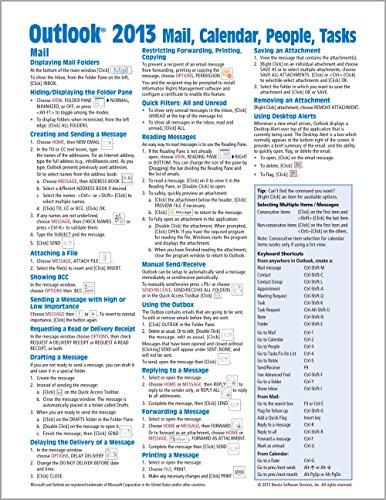
Microsoft Outlook 2013 Mail, Calendar, People, Tasks Quick Reference (Cheat Sheet of Instructions, Tips & Shortcuts - Laminated Guide)
📄 Viewing lite version
Full site ›
Book Details
Author(s)Beezix Inc.
PublisherBeezix Inc.
ISBN / ASIN1936220911
ISBN-139781936220915
AvailabilityUsually ships in 24 hours
Sales Rank488,251
MarketplaceUnited States 🇺🇸
Description ▲
Similar Products ▼
- Microsoft Excel 2013 Introduction Quick Reference Guide (Cheat Sheet of Instructions, Tips & Shortcuts - Laminated Card)
- Microsoft Word 2013 Introduction Quick Reference Guide (Cheat Sheet of Instructions, Tips & Shortcuts - Laminated Card)
- Microsoft Excel 2013 Functions & Formulas Quick Reference Card (4-page Cheat Sheet focusing on examples and context for intermediate-to-advanced functions and formulas- Laminated Guide)
- Microsoft PowerPoint 2013 Introduction Quick Reference Guide (Cheat Sheet of Instructions, Tips & Shortcuts - Laminated Card)
- Microsoft Office 2013 Essentials Quick Reference Guide (Cheat Sheet of Instructions, Tips & Shortcuts - Laminated Card)
- Microsoft Word 2013 Intermediate Quick Reference: Paragraphs, Tabs, Columns, Tables & Pictures (Cheat Sheet of Instructions, Tips & Shortcuts - Laminated Card)
- Microsoft Excel 2013 Data Analysis with Tables Quick Reference Guide (Cheat Sheet of Instructions, Tips & Shortcuts - Laminated Card)
- Microsoft Word 2013 Advanced Quick Reference: Styles & Long Documents (Cheat Sheet of Instructions, Tips & Shortcuts - Laminated Card)
- Microsoft Word 2013 Templates & Forms Quick Reference Guide (Cheat Sheet of Instructions, Tips & Shortcuts - Laminated Card)
- Microsoft PowerPoint 2013 Advanced Quick Reference Guide (Cheat Sheet of Instructions, Tips & Shortcuts - Laminated Card)