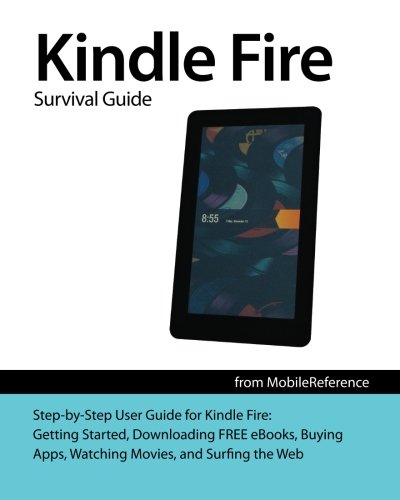


Kindle Fire Survival Guide: Getting Started, Downloading FREE eBooks, Buying Apps, Watching Movies, and Surfing the Web (Mobi Manuals)
Book Details
Description
The Kindle Fire is Amazon s first tablet PC. The Kindle Fire Survival Guide gathers all of the available information regarding the Kindle Fire into a single guide, where it can be easily accessed for quick reference. There is no fancy jargon and every instruction is explained in great detail, which is perfect for beginners. In addition, this guide expands on the basics by discussing useful tips that are excellent for more advanced users.
The level of detail in each chapter sets this guide apart from all the rest. Countless screenshots complement the step-by-step instructions and help you to realize the Kindle Fire s full potential. The useful information provided here is not discussed in the official Kindle Fire manual, such as tips and tricks, hidden features, and troubleshooting advice. This guide also goes above and beyond by discussing recent known issues and solutions that may be currently available.
This Kindle Fire guide includes:
- Getting Started
- Managing Favorites in the Library
- Connecting the Kindle Fire to a PC or Mac
- Finding FREE eBooks
- Reading eBooks and Periodicals
- Looking Up a Word in the Dictionary
- Making a Note
- Changing the Color Mode
- Managing Movies and TV Shows
- Buying or Renting a Movie
- Importing Movies from an Outside Source Using Your PC or Mac
- Managing Music
- Using the Email Application
- Searching the Inbox
- Changing the Incoming Email Notification Sound
- Managing Contacts
- Sharing a Contact's Information
- Using the Silk Web Browser
- Blocking Pop-Up Windows
- Changing the Default Search Engine
- Kindle-Friendly Websites
- Managing Applications
- Searching for an Application in the App Store
- Adjusting the Settings
- Adjusting the Brightness
- Setting the Screen Timeout
- Turning the Lock Screen Password On or Off
- Tips and Tricks
- Viewing the Trailer for a Movie
- Marking an Email as Spam
- Closing All Tabs at Once in the Silk Browser
- Troubleshooting
More Books in Everything Else





More Books by Toly K


