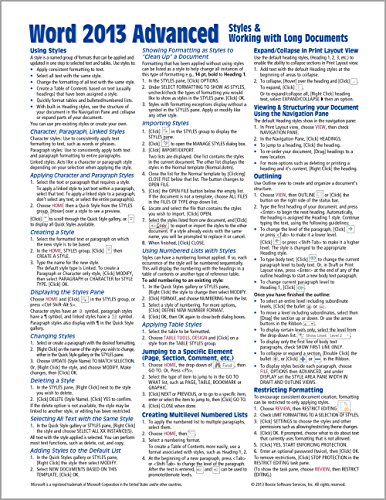


Microsoft Word 2013 Advanced Quick Reference: Styles & Long Documents (Cheat Sheet of Instructions, Tips & Shortcuts - Laminated Card)
Book Details
Author(s)
Beezix Inc.
Publisher
Beezix Inc
ISBN / ASIN
1936220830
ISBN-13
9781936220830
Availability
Usually ships in 24 hours
Sales Rank
#530,607
Category
Pamphlet
Marketplace
United States 🇺🇸
Ratings & Reviews
No reviews yet — be the first!
No reviews yet.
Description
Laminated quick reference card showing step-by-step instructions and shortcuts for how to use styles and other features useful for long documents in Microsoft Office Word 2013. This guide is suitable as a training handout, or simply an easy to use reference guide, for any type of user.
The following topics are covered:
Using Styles; Character, Paragraph, Linked Styles; Applying Character and Paragraph Styles; Creating a Style; Displaying the Styles Pane; Changing Styles; Deleting a Style; Selecting All Text with Same Style; Adding Styles to the Default Style List; Showing Formatting as Styles to "Clean Up" a Document; Importing Styles; Using Numbered Lists with Styles; Applying Table Styles
Jumping to a Specific Element (Page, Section, Comment, etc.)
Creating Multilevel Numbered Lists
Expand/Collapse In Print Layout View
Viewing & Structuring your Document Using the Navigation Pane
Outlining
Restricting Formatting
Finding and Replacing Formats
Finding and Replacing Special Characters (Tabs, Spaces, etc.)
Options when Pasting
Inserting Entire Documents
Creating a Table of Contents; Updating a Table of Contents
Creating an Index; Generating an Index; Updating an Index
Creating a Bookmark; Going to/Selecting Bookmarked Text; Using Bookmarks to Refer to Pages
Section Breaks: Inserting a Section Break; Changing Page Numbering Mid-Document; Changing Headers and Footers; Changing Page Setup in a Section
Inserting a Footnote/Endnote
This guide is one of several available for Word 2013: Word 2013 Introduction (ISBN 978-1936220816); Word 2013 Intermediate (ISBN 978-1936220823); Word 2013 Templates & Forms (ISBN 978-1936220847); and Word 2013 Advanced.
The following topics are covered:
Using Styles; Character, Paragraph, Linked Styles; Applying Character and Paragraph Styles; Creating a Style; Displaying the Styles Pane; Changing Styles; Deleting a Style; Selecting All Text with Same Style; Adding Styles to the Default Style List; Showing Formatting as Styles to "Clean Up" a Document; Importing Styles; Using Numbered Lists with Styles; Applying Table Styles
Jumping to a Specific Element (Page, Section, Comment, etc.)
Creating Multilevel Numbered Lists
Expand/Collapse In Print Layout View
Viewing & Structuring your Document Using the Navigation Pane
Outlining
Restricting Formatting
Finding and Replacing Formats
Finding and Replacing Special Characters (Tabs, Spaces, etc.)
Options when Pasting
Inserting Entire Documents
Creating a Table of Contents; Updating a Table of Contents
Creating an Index; Generating an Index; Updating an Index
Creating a Bookmark; Going to/Selecting Bookmarked Text; Using Bookmarks to Refer to Pages
Section Breaks: Inserting a Section Break; Changing Page Numbering Mid-Document; Changing Headers and Footers; Changing Page Setup in a Section
Inserting a Footnote/Endnote
This guide is one of several available for Word 2013: Word 2013 Introduction (ISBN 978-1936220816); Word 2013 Intermediate (ISBN 978-1936220823); Word 2013 Templates & Forms (ISBN 978-1936220847); and Word 2013 Advanced.
Similar Products


